Pantry Tracker · Auto-skip duplicates
Know what you have.
Stop buying it twice.
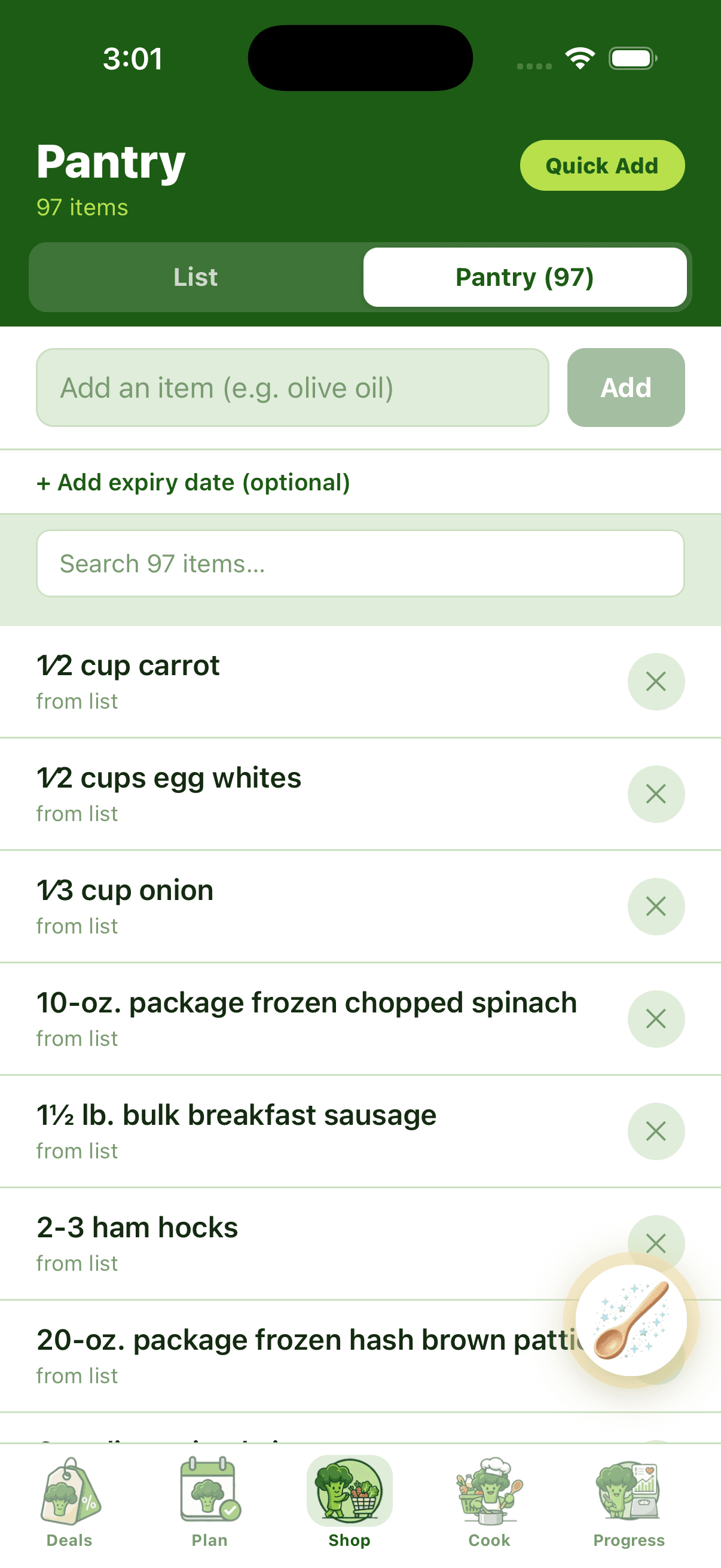
A live inventory of your kitchen. Your shopping list auto-skips items you already own. Quick Add Staples seeds the basics in 30 seconds. Pantry Scan keeps it current.
14-day free trial · Pantry tracker on every plan
Four ways to fill it
Snap, bulk-add, or auto-from-shop.
Pick the speed that fits the moment. Most users start with Quick Add Staples and Pantry Scan, then let the after-shopping auto-add handle the steady state.
Snap a photo
Open the Broc Wand → Scan Pantry Photo. AI extracts every ingredient from the shot and adds them in one tap.
Quick Add Staples
Tap Quick Add and pick from 50+ common kitchen staples grouped by category. Done in 30 seconds.
After shopping
Check items off your shopping list and they automatically land in your pantry sub-tab — already-bought tracking with zero extra effort.
Type it
Manual add for one-off items. Fast input with typo-tolerant parsing for quantities like "1 lb", "½ gallon", "3 cans".
What the tracker does
Inventory that earns its keep.
Shopping list skips duplicates
When the meal plan asks for olive oil and your pantry already has it, the shopping list shows "In pantry" instead of "to buy". No more third jar of cumin.
Expiry date tracking
Add an optional expiry date to any item. Items about to expire surface in your meal-plan generation so the AI prioritizes recipes that use them.
Search across 97+ items
Type any item name and the pantry list filters instantly. Works for partial matches, common typos, and category-level searches.
Quantity tracking
Each item has a quantity field (1 lb, ½ gallon, 3 cans). When you cook a recipe, the amounts get debited from your pantry totals.
Better with Pantry Scan
The tracker is the destination. The Scan is the shortcut.
Pantry Scan extracts every ingredient from a single fridge photo and dumps them into this tracker in one tap. The tracker holds the state; the Scan keeps it fresh.
See how Pantry Scan works →FAQ
Quick answers
How is this different from Pantry Scan?
Pantry Scan is the input — you snap a photo and AI fills in ingredients. Pantry Tracking is the storage — it's where all your pantry items live, get organized, get searched, and get debited as you cook. Most users use both: scan to populate, tracker to manage.
Will the shopping list really skip pantry items?
Yes. Every shopping-list item is matched against your pantry sub-tab on render. Matches get an "In pantry" badge instead of a checkbox — they don't count toward your shopping total and they don't show up in the by-aisle view.
What's in the Quick Add Staples wizard?
Around 50 common kitchen items grouped by category: oils, vinegars, spices, baking staples, condiments, canned basics, freezer staples, etc. Tap to add in bulk — pre-population for the items most kitchens have.
How accurate is the quantity tracking?
Honest answer: V1 is presence-based — we know you have olive oil, but we don't precisely debit the 2 tablespoons used in tonight's recipe. V2 quantity-aware tracking is on the roadmap once the data model proves out.
Can I exclude items from deal matching?
Yes. Toggle "don't show deals for this item" on any pantry entry. Useful for things you buy specific brands of and don't care about substitutes.

Your kitchen, finally inventoried.
Quick Add Staples seeds it. Pantry Scan keeps it fresh. Your shopping list does the math.
Start free trialNo credit card to start · Cancel anytime